Overview
bhworks uses role-based permissions to ensure staff members have access to the tools and information necessary for their responsibilities while maintaining participant privacy and data security. Each staff user is assigned one or more roles that determine what functions they can perform within the system.
Role Descriptions
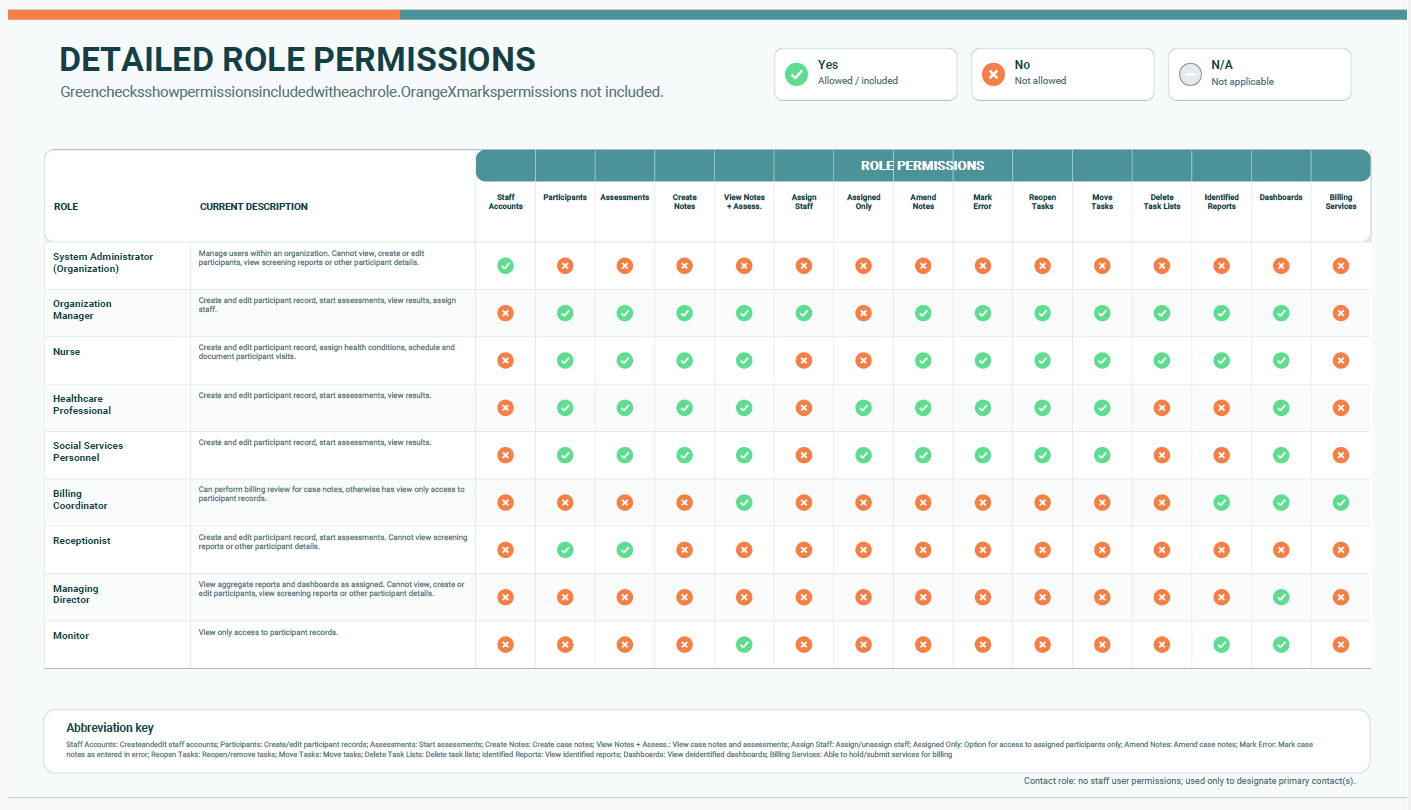
System Administrator:
Manage users within an organization. Cannot view, create or edit participants, view screening reports or other participant details.
Organization Manager:
Create and edit participant record, start assessments, view results, assign staff. This role is often combined with the System Administrator role.
- (Option) Medicaid eligibility badges shown - Will see badges for participants if the setting is turned on for the participant's organization.
Nurse:
Create and edit participant record, assign health conditions, schedule and document participant visits.
- (Option) Medicaid eligibility badges shown - Will see badges for participants if the setting is turned on for the participant's organization.
Healthcare Professional:
Create and edit participant record, start assessments, view results.
- (Option) Access to assigned participants only
- (Option) Manage own case notes - Can amend own case notes or mark them as entered in error.
- (Option) Medicaid eligibility badges shown - Will see badges for participants if the setting is turned on for the participant's organization.
Social Services Personnel:
Create and edit participant record, start assessments, view results.
- (Option) Access to assigned participants only
- (Option) Manage own case notes - Can amend own case notes or mark them as entered in error.
- (Option) Medicaid eligibility badges shown - Will see badges for participants if the setting is turned on for the participant's organization.
Billing Coordinator:
Can perform billing review for case notes, otherwise has view only access to participant records. Can see Medicaid Eligibility badges on participants when the setting is turned on for their organization.
Receptionist:
Create and edit participant record, start assessments. Cannot view screening reports or other participant details.
Managing Director:
View aggregate reports and dashboards as assigned. Cannot view, create or edit participants, view screening reports or other participant details.
Monitor:
View only access to participant records
Contact:
Contact point for the organization. The role does not provide any staff user permissions and is only used to designate the primary contact(s) for an organization.
Combined Role Options
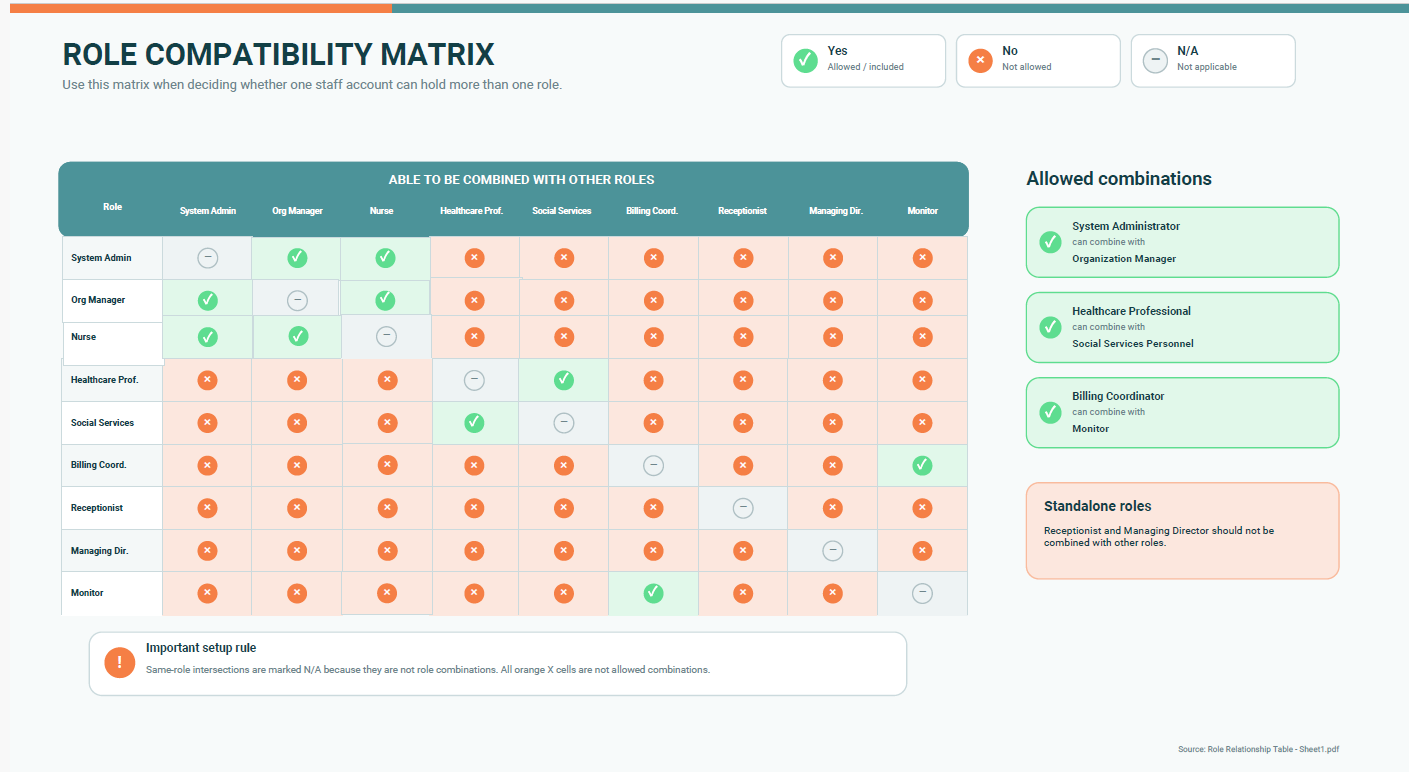
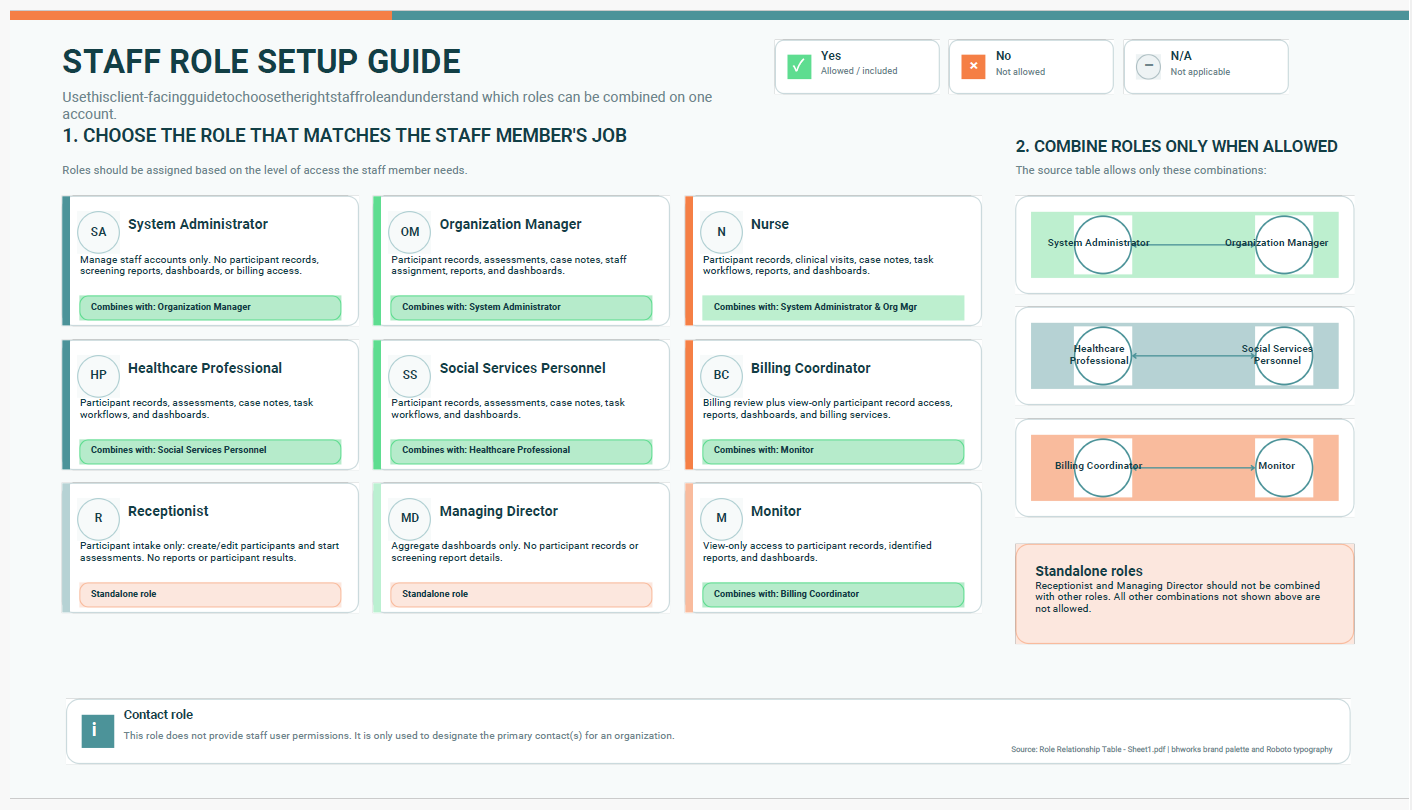
Below is a table of roles that can/cannot be combined with each other. Certain roles will interfere with each other, restricting needed accesses. To determine whether two roles can be combined, locate the cell where the corresponding row and column intersect. A value of "Yes" indicates the roles are compatible and may be assigned together. A value of "No" indicates the roles conflict with one another and should not be assigned to the same user.
Was this article helpful?
That’s Great!
Thank you for your feedback
Sorry! We couldn't be helpful
Thank you for your feedback
Feedback sent
We appreciate your effort and will try to fix the article