This document describes new features and major bug fixes added to bhworks in the 25.7 release. This release focused primarily on adding functionality and improving the workflow related to the Overview and Calendar pages. Smaller bug fixes, performance improvements and infrastructure upgrades are also included in the release but not detailed here.
For more information on new functionality, please contact support@mdlogix.com.
Indicates a feature that may need a request to turn on for your organization.

Release Notes Table of Contents
Calendar improvements
Organization Manager can assign events
Deleting missed events
Warning when scheduling events in the past
Incomplete Case Notes from previous July
Select participant from My Worklist
Forms Improvements
Skip “Introduction” page if there is no text
Participant header in forms
Navigation
Link to Documents in participant popups
Referrals improvements
Dashboards and Report Improvements
Updated
Case Notes: My Case Notes Report
Case Notes: Services Report
Forms: Data Export
Case Notes: Billing Review
Calendar Improvements

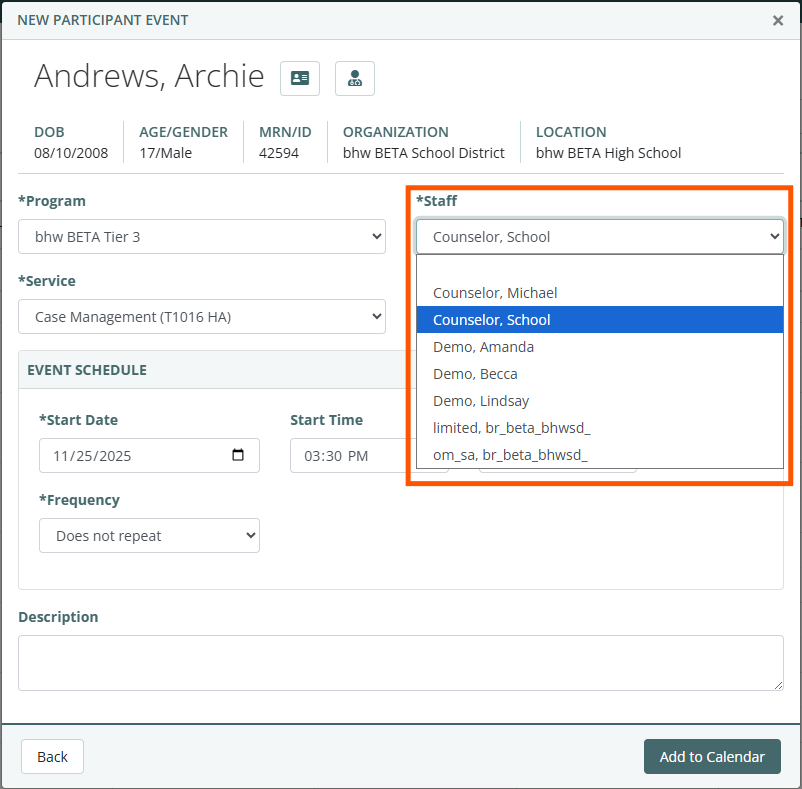
Organization Managers can assign events
Organization managers can create events and assign them to staff users who have access to the event’s program and have credentials to perform the service (if applicable).
Staff can be assigned to an event when it is being created or they can be assigned to existing events when editing the event.
For recurring events, the staff assignment will apply to all future occurrences of the event.
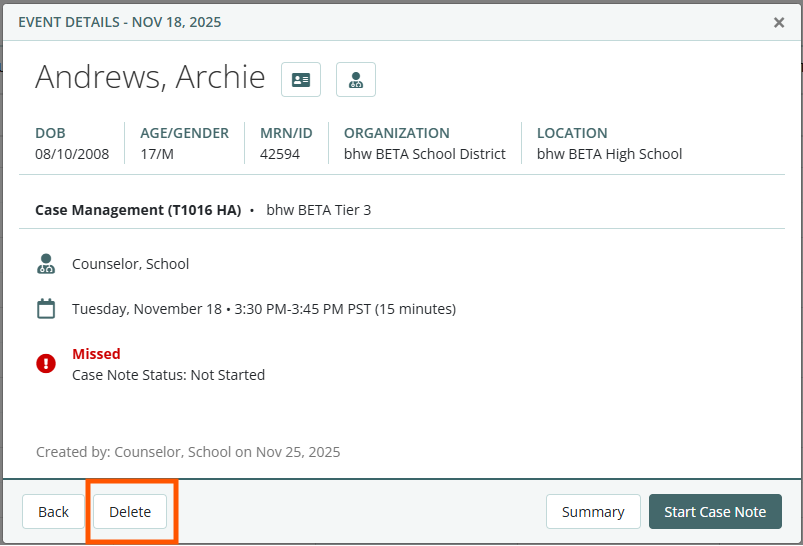
Deleting Missed Events
Users can delete past events from their calendar if there is not a case note started or completed (aka “Missed Events”). Only the user who is assigned to the event or an organization manager who is assigned to the event’s program can delete it.
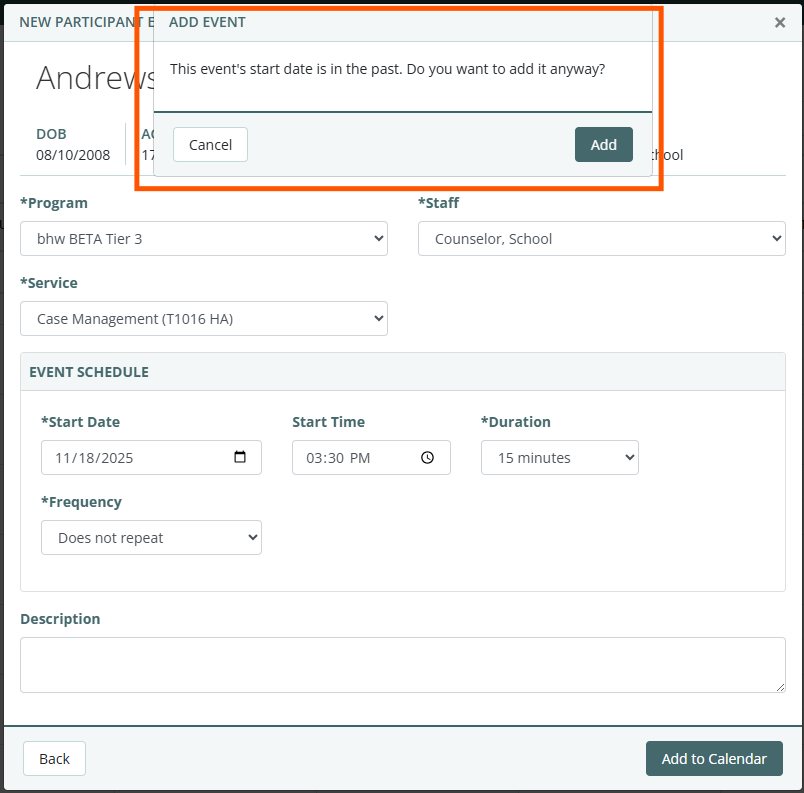
Warning when scheduling events in the past
When users are creating events, they will see a pop-up warning letting them know if they are selecting a past date. If selecting the past date is intentional, users will be able to continue with creating the past event.
Incomplete Case Notes from previous July
Instead of showing all incomplete case notes from previous years and including participants that are no longer assigned to the staff user, the Incomplete Case Notes widget on the Provider Overview page will only show incomplete case notes since the previous July.
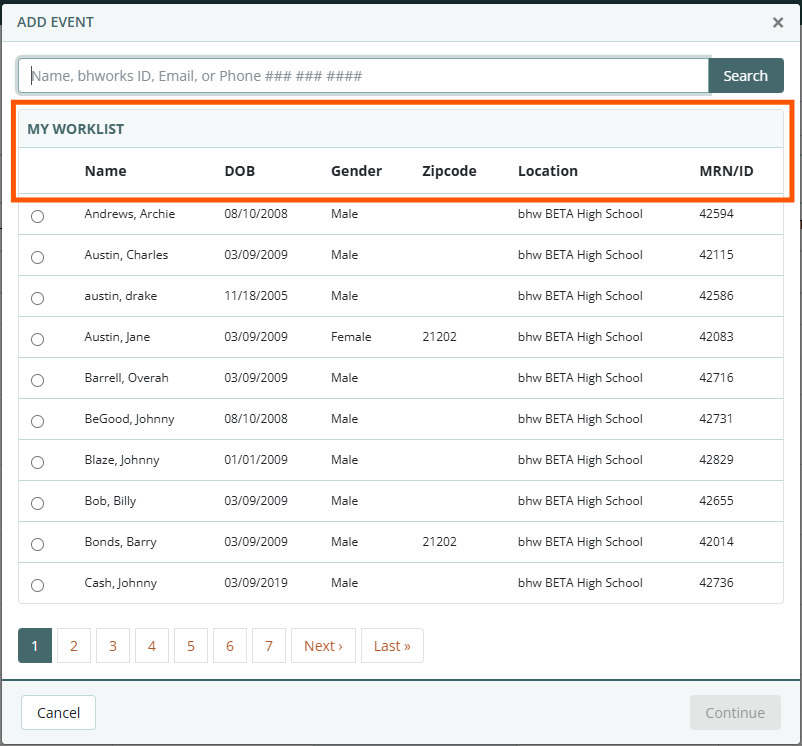
Select participant from My Worklist when creating an event
When creating an event, you will have the option to search for a participant or select them from ‘My Worklist’ of your assigned participants.
Forms Improvements
Skip “Introduction” page if there is no text
When starting certain forms, either as a provider or a participant, if there is no introductory text, the form will skip the title page and launch directly into the form.
Participant header in forms
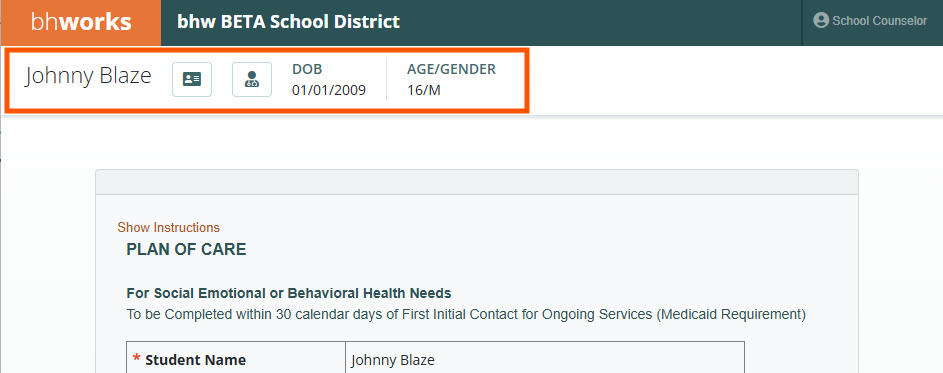
When providers are working in forms, the participant header will be shown so providers are able to easily reference the participant they are completing the form for.
Navigation

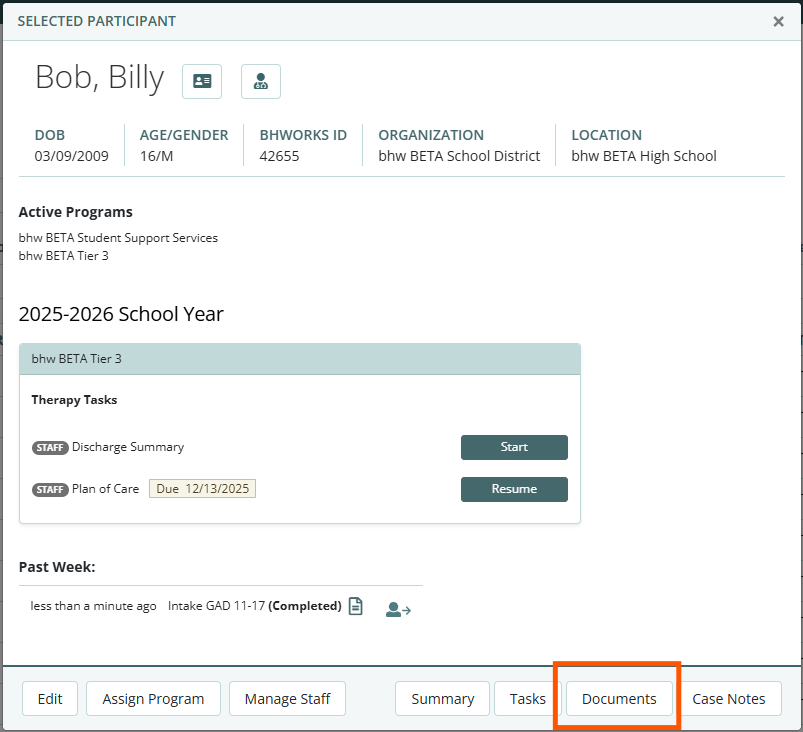
The participant pop-up that displays after selecting a participant will now include a navigation button to go directly to the Documents tab (only if the organization uses the Documents tab).
Referrals
Reason for Referral (dropdown list)
This list is now automatically alphabetized within the dropdown
Referrals Outcome
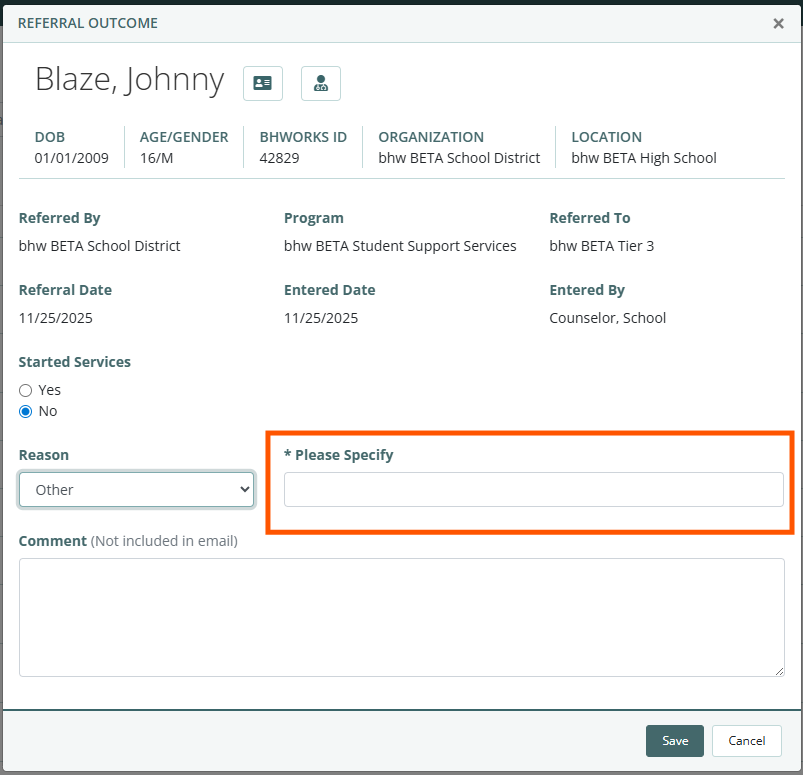
Users who select “Other” in the Reason field (Started Services = No) on the referral outcome popup will be required to enter the reason in the “Please Specify” field (as shown below).
Dashboards and Report Improvements
Referrals: Referred Participants Report UPDATED
Users will now see the “other specify” text displayed under the Reason Not Started column for those referrals with “Other” as the reason. Users will also see an option to “Include Comments” in the report. If checked, the report will include the referral comments within the report.
Case Notes: My Case Notes Report UPDATED
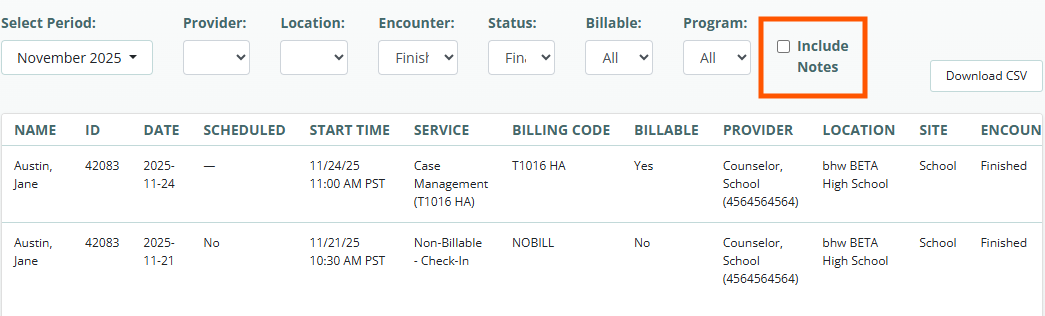
Users can now select the “Include Notes” checkbox to include the case notes text within the report.
Case Notes: Services Report UPDATED
When running the report, users can now filter the report by the service’s billable status (Yes/No). Also, users can now select the “Include Notes” checkbox to include the case notes text within the report.
Forms: Data Export UPDATED
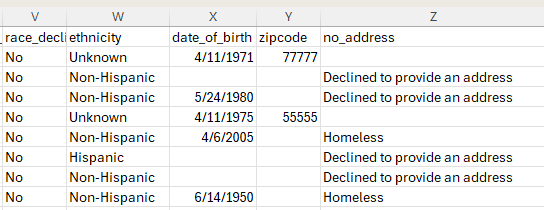
For organizations that use the “No Address” field to indicate that a participant is either homeless or declined to provide an address and select the “Include Demographics” option when exporting form data, users will see a column for “no_address” in the form data export file. This column will include the no address reason (as displayed below).

Was this article helpful?
That’s Great!
Thank you for your feedback
Sorry! We couldn't be helpful
Thank you for your feedback
Feedback sent
We appreciate your effort and will try to fix the article