The Screening Activity: CRAFFT 2.1/N dashboard displays de-identified, aggregated, real-time data information from all versions of the CRAFFT completed for participants.
The forms included are dependent on which versions are assigned to your organization and have at least one completed screen.
The dashboard only displays information about screens that have been finalized and does not include forms that have not been started or are still in progress.
The screening date is based on when the task was completed, not the date the task was originally assigned.
For general information on navigating dashboards, please click this link.
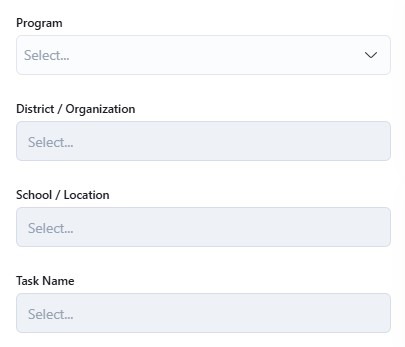
Dropdown/Selectable Filters:
You can use the dropdown/selectable filter options to narrow the dashboard results to only show specific programs, districts/organizations, schools/locations, and/or task name (if there are different versions of the form used). Otherwise, the default view will show all of the forms completed across all participating programs and locations.
Program
District / Organization
School / Location
Task Name (For different versions of the form)
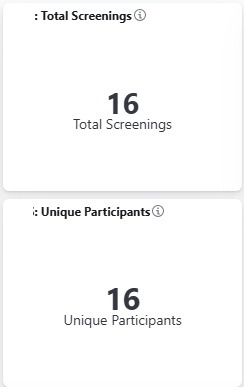
The Screening Activity: CRAFFT 2.1/N dashboard is an easy way to pull the following numbers:
Total number of completed CRAFFT screens
Total number of unique participants with at least one completed CRAFFT screen
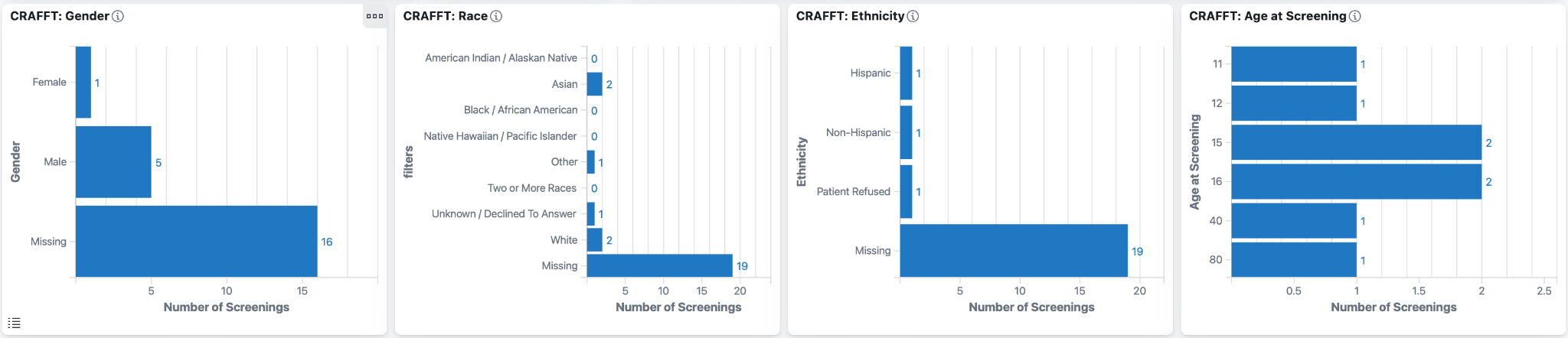
The Screening Activity: CRAFFT 2.1/N dashboard includes the following charts and tables:
Screenings by Month
Demographics of the participants who have at least one CRAFFT completed (total screenings by demographic, not unique participants by demographic):
Gender
Race
Ethnicity
Age at Screening
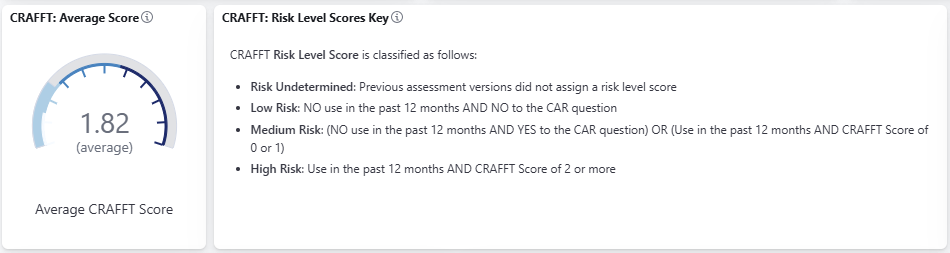
The Screening Activity: CRAFFT 2.1/N dashboard also includes the following charts and tables:
CRAFFT: Risk Level Key - Description of the risk level classifications
Average CRAFFT Score
CRAFFT Scores Interpretation - Probability of Substance Use Disorder based on CRAFFT Score
Percentage of participants that screened for each risk level
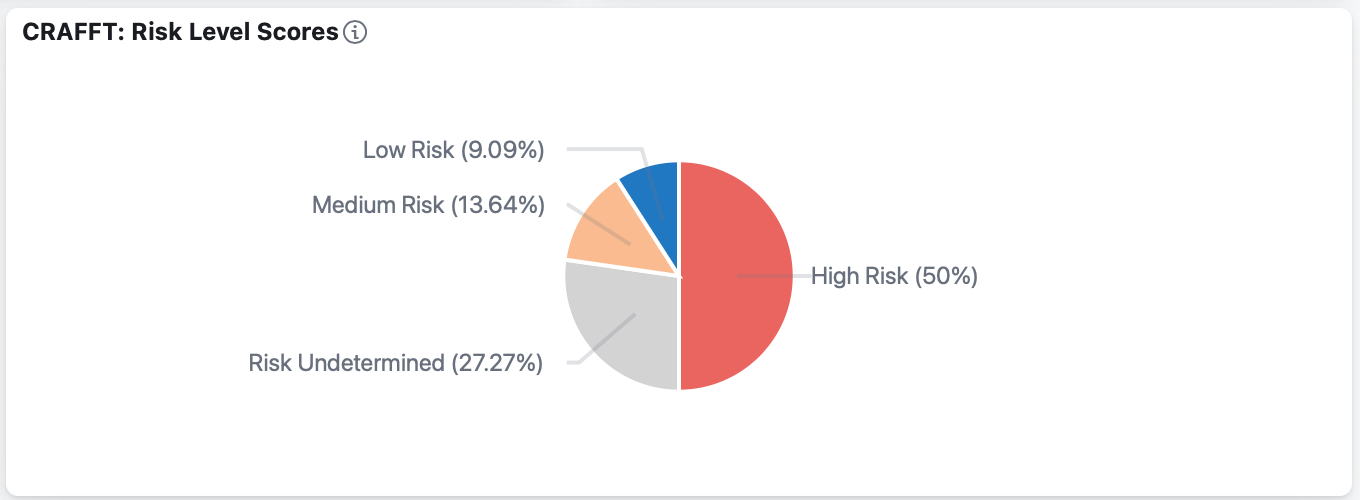
Percentage of participants by score
Substance Use in the Past 12 Months - Percentage of participants reporting Yes/No for:
Alcohol Use
Marijuana Use
Other Substance Use
Vape / Tobacco Use
Core CRAFFT (Car, Relax, Alone, Forget, Family/Friends, Trouble) Items - Yes / No / Skipped percentages:
Rode in Car with someone using
Used substances to Relax
Used substances while Alone
Forgot things while using
Friends/Family told them to cut down
Got into Trouble while using
Vaping / Tobacco Autonomy (CRAFFT 2.1N only)
Autonomy Score Key
Score Undetermined: No score assigned (earlier versions)
Has ability to make informed choices: No to all responses to autonomy items
Impaired Autonomy: Yes to any autonomy item, warrants further assessment
Autonomy Score Distribution
Autonomy Checklist Items (Yes / No / Skipped):
Tried to Quit but couldn’t
Now using because it’s hard to quit
Ever felt Addicted
Strong Cravings
Felt like really Needed to use
Hard to keep from using in Places like school
Hard to Concentrate without use
Felt more Irritable without use
Strong Need or urge to use
Feel Nervous, restless, anxious because couldn’t use
Charts that include ‘skipped’ as a response are displayed for questions that were disabled due to the form’s skip logic, based on the participant’s responses.
Resetting the Dashboard
To clear individual filters, please click the X next to the filter at the top of the dashboard
To reset the dashboard to its original settings, click the Refresh button on your browser

Download to PDF
Once you have defined the dashboard based on your needs, you can export the entire dashboard as a PDF using the Download to PDF button found on the upper right-hand side.

Was this article helpful?
That’s Great!
Thank you for your feedback
Sorry! We couldn't be helpful
Thank you for your feedback
Feedback sent
We appreciate your effort and will try to fix the article