TABLE OF CONTENTS
- Participant Medicaid Eligibility Status
- Medicaid Billing Eligibility Report
- Validating Case Notes based on Medicaid Requirements
- Billing Claim Preview Report
Participant Medicaid Eligibility Status
bhworks can now check student Medicaid eligibility each month for organizations in Michigan and Nevada. The organization must first establish bhworks as a trading partner with the state Medicaid system.
- Requirements for Establishing mdlogix as a Trading Partner - Michigan
- Requirements for Establishing mdlogix as a Trading Partner - Nevada
The following Medicaid eligibility statuses will be captured for each student every month:
- Active - active for the month
- Inactive - inactive for the month
- Unknown - unable to determine for the month
- Not Checked - not sent in the checking process for the month
Organizations can opt to display student Medicaid eligibility for the current month in a badge in the Participant’s profile, selected Participant modal, and Case Notes header:
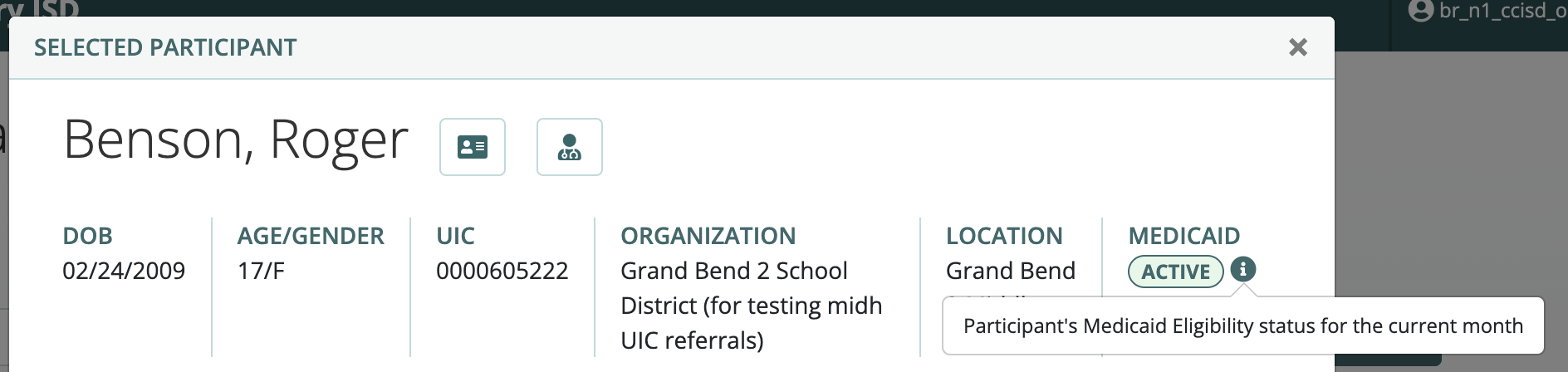
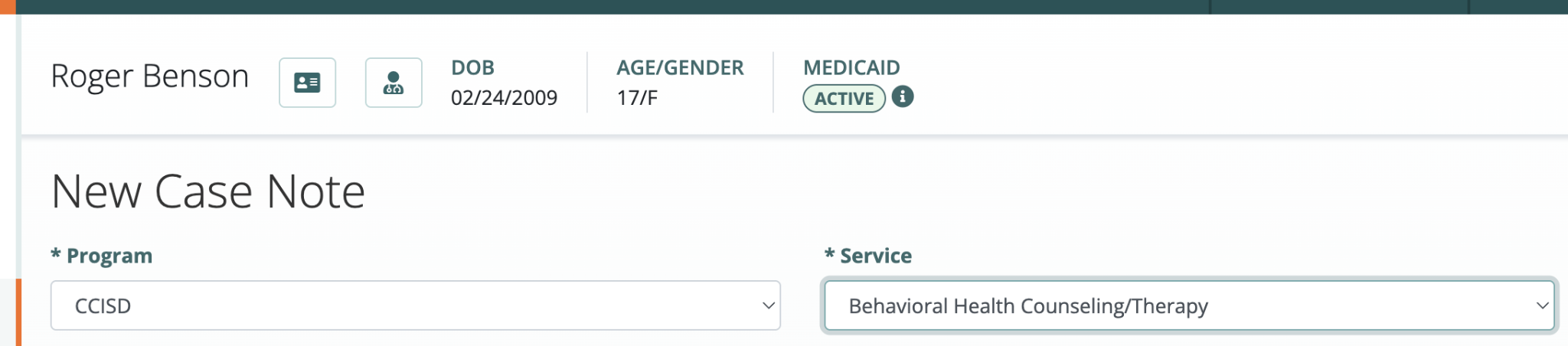
An organization may also opt to check student Medicaid eligibility but not display the information in the Participant’s profile. Please discuss your preferences with support@mdlogix.com.
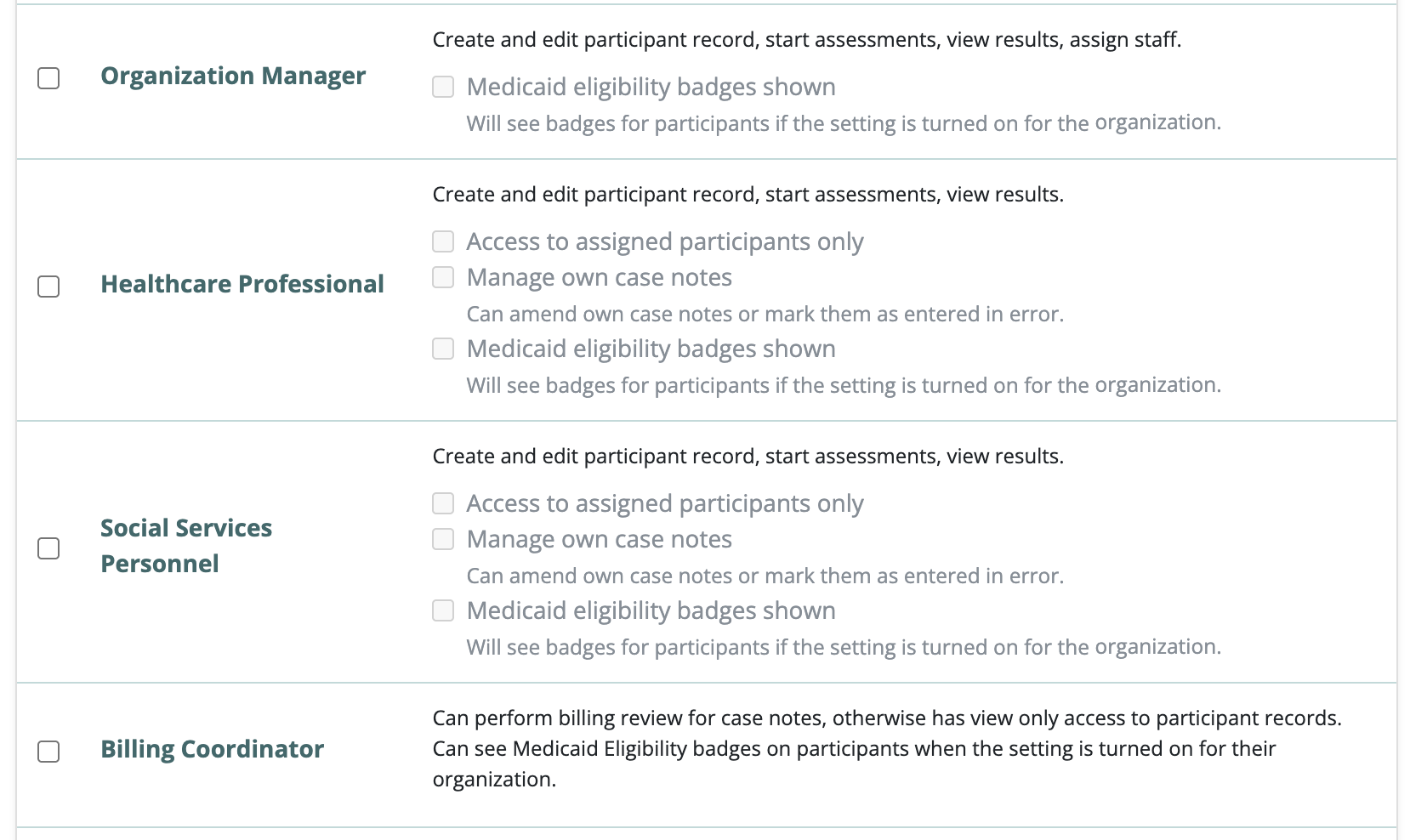
Each user’s assigned roles will control whether or not that user sees the Medicaid Eligibility badge in the Participant profile. Note that Billing Coordinators will always see the badge if the organization opts to display the badge, while Healthcare Professional, Social Services Personnel and Organization Managers can be configured to see or not see the badge.
Medicaid Billing Eligibility Report
The Participants: Medicaid Billing Eligibility Report displays participant Medicaid eligibility statuses by month and program. Note that this report should only be assigned to users who need to view participant Medicaid eligibility.
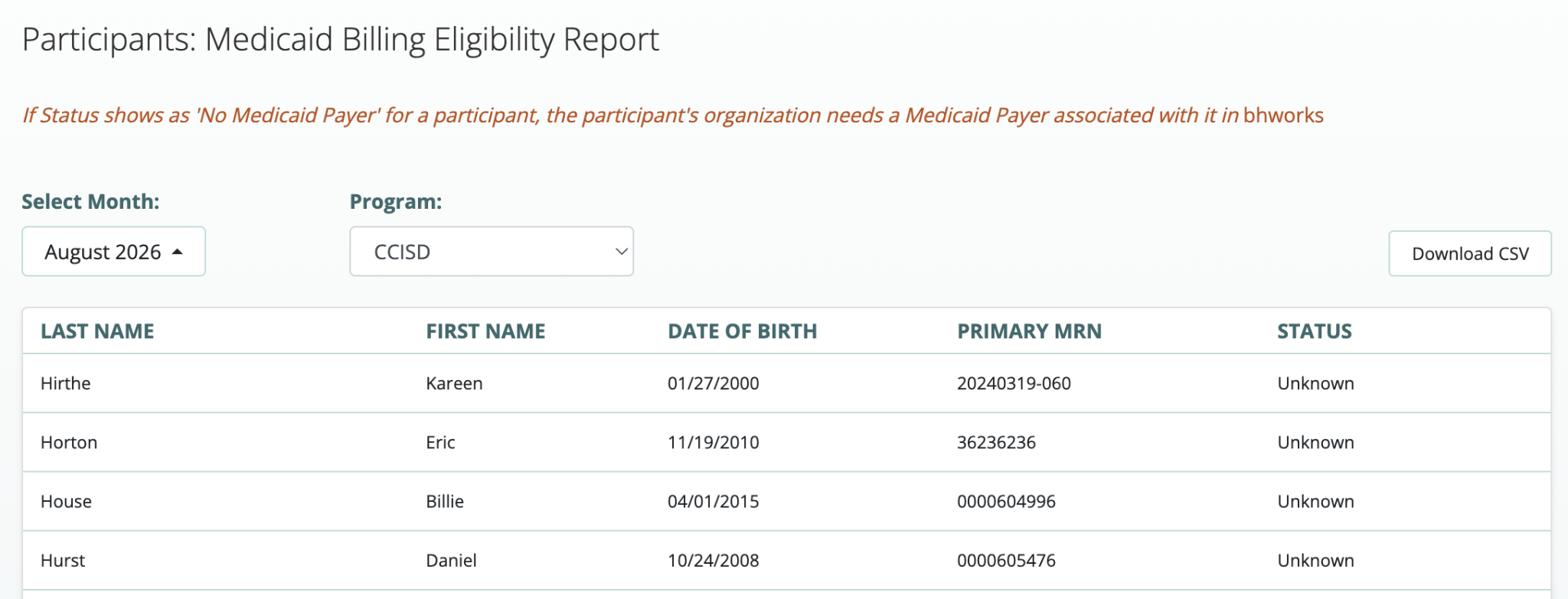
The report displays participants the user is permitted to view under the selected program. Assigned-Only Access users will only see participants for whom they are on the care team.
Validating Case Notes based on Medicaid Requirements
This feature will be turned on for all sites with no action needed from you or your team. Organizations in Michigan and Nevada can validate case notes based on state Medicaid requirements. Establishing bhworks as a trading partner is NOT required to do this. Organizations using third-party vendors such as Relay, PCG and Infinity (Illuminate) can still benefit from this feature. (Please note: Case note field validations and Plan of Care provider signatures will continue to be checked for compliance).
Each case note for a billable service will be evaluated against state Medicaid requirements for the service being provided. Validations include:
- Consent to Share Information with and Bill Medicaid (always required)
- Consent to Treat
- Plan of Care
- CASII/LOCUS Level of Care assessment (Nevada only)
- Physician’s Order (Nursing only)
All case notes for a billable service with a finished encounter status will be evaluated for compliance with Medicaid requirements. This includes notes that do not qualify for Medicaid submission for other reasons, such as notes entered under a non-billable funding source or notes for a student not eligible for Medicaid at the time of the encounter.
Billing Claim Preview Report
A Billing Coordinator can run the Billing Claim Preview Report to see whether case notes entered by providers meet Medicaid requirements (are supported by documents captured in bhworks such as consents, plans of care, per service-specific Medicaid requirements). Establishing bhworks as a trading partner is NOT required to use this report. The report displays the results of the Case Note validation described in the previous section. It is currently the only place to view the results of the validation process.
The report can be filtered by time period, participant, provider, case note status, program, the presence or absence of Medicaid-required documents, the participant’s Medicaid eligibility, or whether the funding source is billable or not.
Key details for each case note include:
- Participant name and statewide ID
- Case Note details - provider, status, service, encounter date, etc.
- Medicaid Documents - the presence or absence of documents Medicaid requires for billing the case note’s service, based on the service’s encounter date. Missing documents will be listed beneath a Missing Required Documents warning. A green checkmark will appear if required documents are present in bhworks.
- Student Eligibility - the participant’s Medicaid eligibility for the month in which the encounter occurred. Establishing bhworks as a trading partner is required to display this information in the report; otherwise, this field will display as Not Checked or possibly No Medicaid Payer. (screenshot from release notes)
- Case notes are evaluated on save, and via a nightly process. For example, if a note is entered before a Consent record is captured in bhworks, the note will initially display as missing required documents. After the Consent is added to bhworks, the nightly process will update the validation status of the note to indicate the document is no longer missing.
- Notes that have been exported for Medicaid Billing or to a third-party vendor are not validated or shown in the report.
Was this article helpful?
That’s Great!
Thank you for your feedback
Sorry! We couldn't be helpful
Thank you for your feedback
Feedback sent
We appreciate your effort and will try to fix the article